Is Cricfy TV safe? It's one of the first things people ask, and the honest answer has two parts. The genuine file is usually not where the danger is. The bigger risk is the many fake copies on random websites, and the fact that the app isn't a licensed service. This post explains both, so you can decide for yourself and protect your phone either way.
Where the Real Risk Comes From
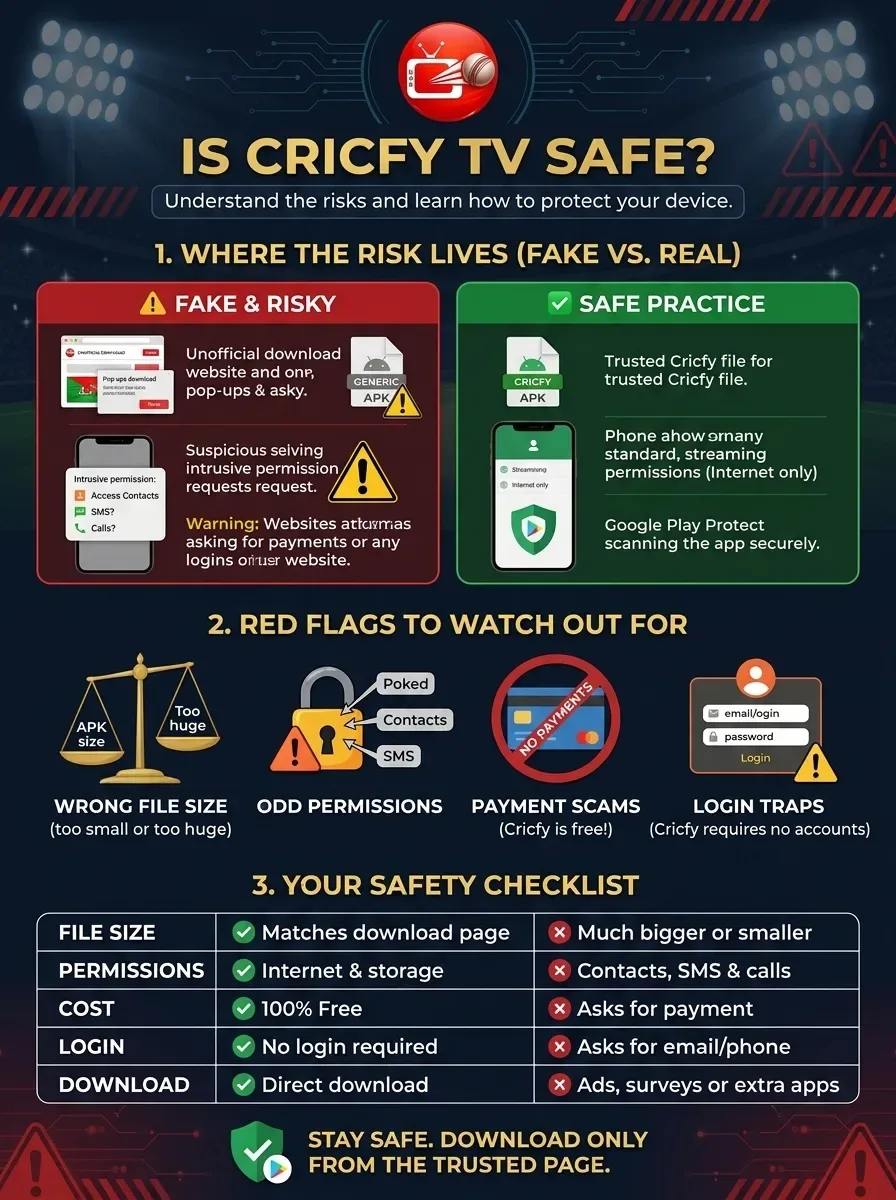
Because the app isn't in the Play Store, people download it from websites. That's where things go wrong. Anyone can upload a file called "Cricfy" with something else inside it, like adware that fills your phone with pop-ups, or worse, apps that try to read your messages.
Most bad experiences people share online come from these copies, not from the app itself. So the question isn't only "is the app safe?" but "is the file I'm about to install the real one?"
How to Spot a Fake APK
The size is wrong. Compare the file size with the one listed on our download page. A real file is close to that size. One that's several times bigger or much smaller isn't genuine.
It wants odd permissions. Streaming needs internet access, and perhaps storage. Reading your contacts, texts or call history has nothing to do with watching cricket. If a copy asks for these, uninstall it right away.
It wants money. The app is free. Any site asking for payment, a "premium code" or your card details is a scam.
The site makes you jump through hoops. If you have to complete surveys, install other apps first, or click through many ad pages, the file at the end is rarely what it claims.
It asks you to log in. The real app has no accounts. A login screen is a sign that someone wants your details.
Simple Habits That Keep You Safe
-
Download from one trusted page and stick with it for updates.
-
Let Google Play Protect scan the file. It runs automatically when you install apps from outside the store. Don't turn it off.
-
Review permissions once it's installed. In Settings, choose Apps, select the app, open Permissions, and switch off anything unrelated to streaming.
-
Keep your phone updated. System updates fix security holes that bad apps try to use.
-
Don't root your phone just to run a streaming app. It removes protections that keep you safe.
What About Ads and Pop-Ups?
Some streams come from outside sources that show their own ads. If a stream opens a new browser tab or asks you to install something, close it and pick another server. Never install anything a stream pop-up tells you to.
Is Cricfy TV Legal?
Safety is one side; the law is the other. Cricfy holds no broadcast licence. Leagues and channels sell their match rights to official partners, and nothing reaches them when fans watch through unofficial apps. Laws on this differ from place to place, and this post isn't legal advice. If you want to be completely sure, use an official app, many of which have free or low-cost options.
A Quick Safety Checklist
|
Check |
Safe sign |
Warning sign |
|
File size |
Matches our download page |
Much bigger or smaller |
|
Permissions |
Internet, maybe storage |
Contacts, SMS, calls |
|
Cost |
Free |
Asks for payment |
|
Login |
None |
Asks for email or phone |
|
Download page |
Direct download |
Surveys or extra apps |